HIIT for Musicians HIIT for Musicians
  1. High Intensity Intelligent Training

    Practise like
    you train.

    Interval training for musicians. Pick exactly what to work on, set the reps and rests once, and let the timer and metronome run the session while you play.

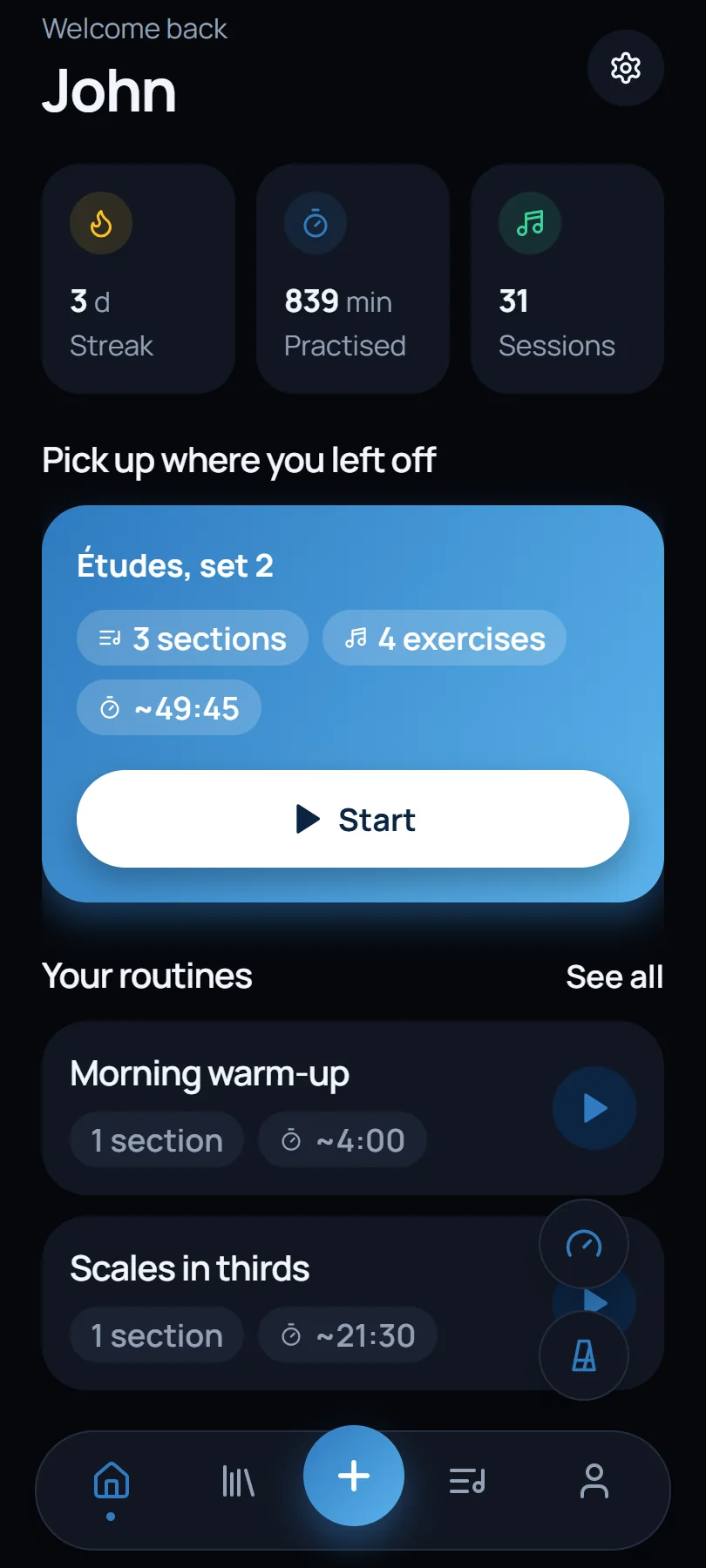
    The app's home screen: streak, minutes practised and routines

    In your browser today. Android is in testing; iOS is coming soon.

    • Your streak, minutes and sessions

      On the home screen, every time you open it.

  2. 01Your music

    Bring the page. Keep the bars that matter.

    Photograph a page or open a PDF, then crop just the passage you need.

    Up to six excerpts, even from different sources, on one screen, saved to your library for any routine.

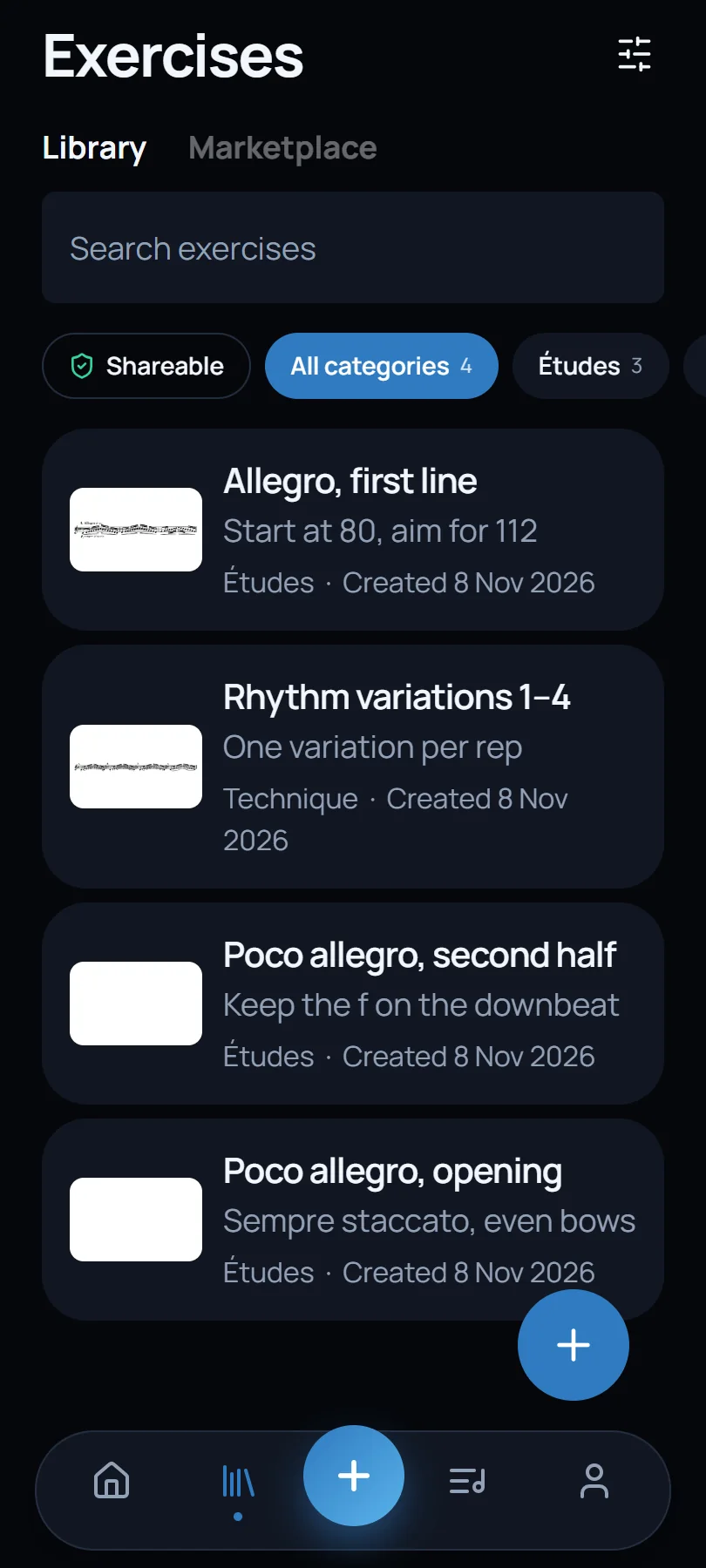
    Your exercise library, each with its excerpt of music
    • Photo or PDF

      A method book, a part, an orchestral excerpt, a theory page.

    • Crop exactly

      Up to 6 excerpts, even from different sources, on one screen.

    • One library

      Every exercise is saved once and reused in any routine.

  3. 02Routines

    Sets and rests, planned while you're fresh.

    Sections that repeat, with exercises inside them, each with its own reps, length and tempo.

    Rest is set in advance, not when you notice you're tired, and each exercise sets its own tempo on the metronome.

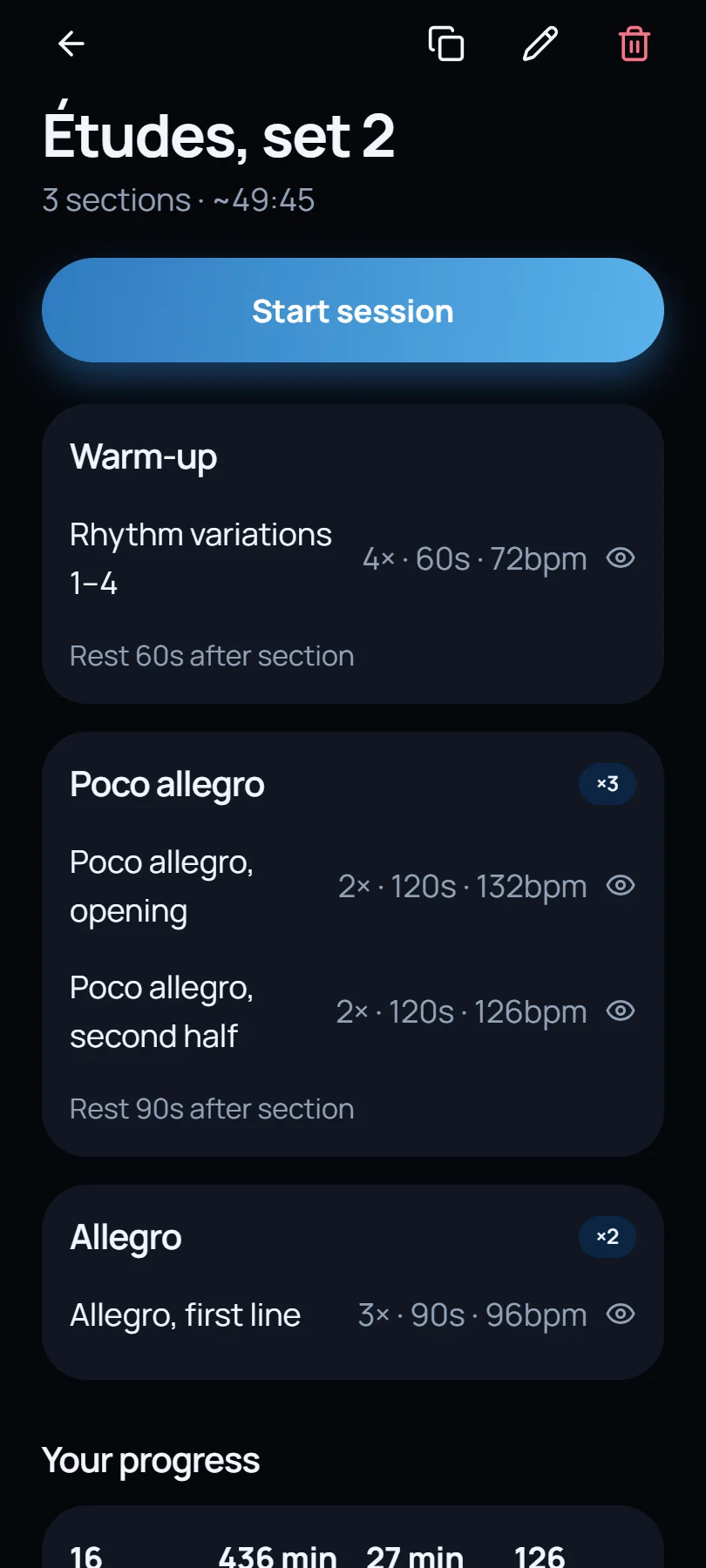
    A routine with three sections, each listing its exercises, reps and tempo
    • Sections that repeat

      3× Poco allegro, then 90 s of rest.

    • Reps, length, rest

      2 × 120 s at 132 bpm, 30 s between reps.

    • Tempo per exercise

      Set on the metronome the moment the exercise starts.

  4. 03The session

    Press start. The clock does the rest.

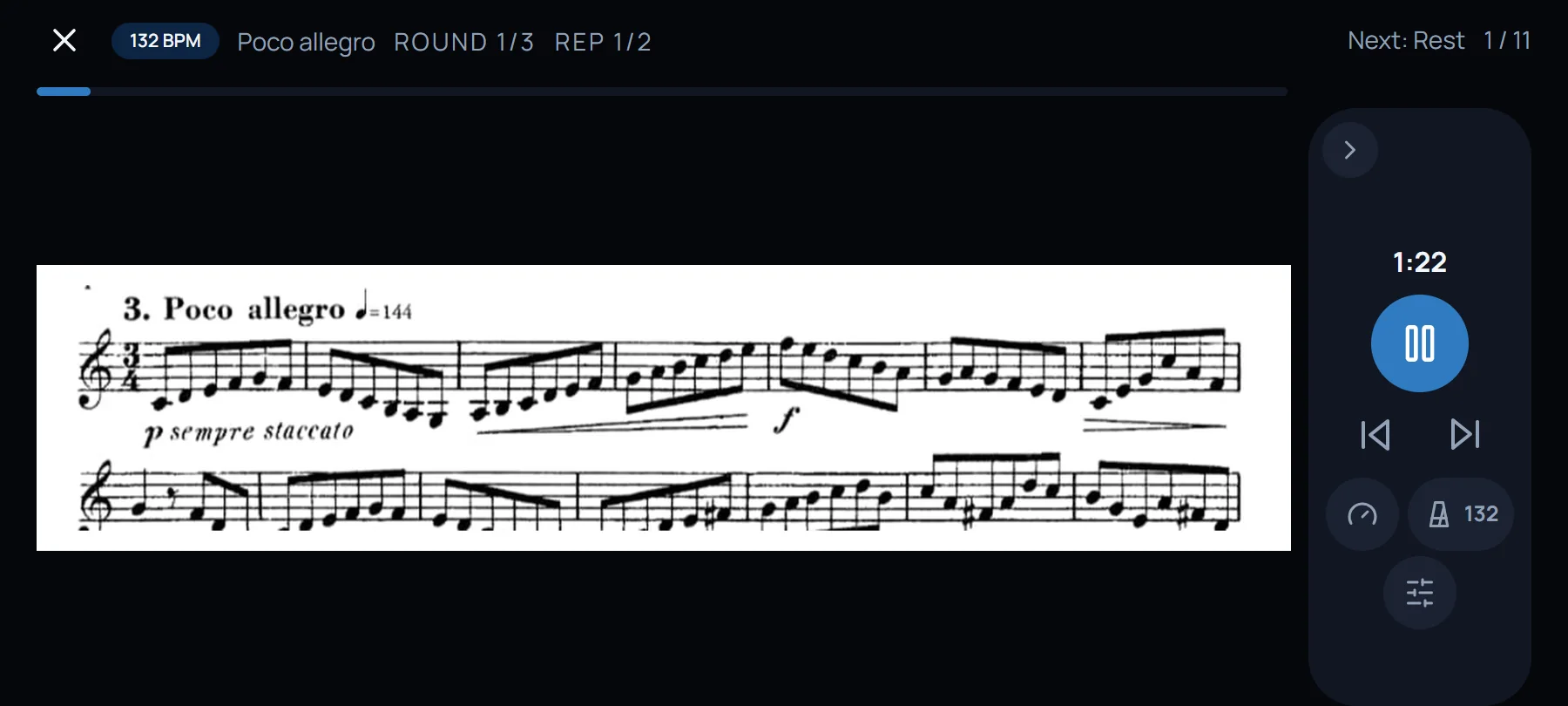
    A spoken count-in, then every rep and every rest is timed for you while the music stays on screen.

    Turn the phone sideways for a full page. The beat can be heard, felt as a vibration or seen as a pulse around the screen.

    A routine running in landscape, with the music filling the screen
    • Heard, felt or seen

      A click, a vibration, or a pulse around the edge of the screen.

    • Sideways for a full page

      The music fills the screen; the controls tuck to the side.

    • Notes as you go

      Write on the music and keep observations for each exercise.

  5. 04Metronome and band

    More than a click.

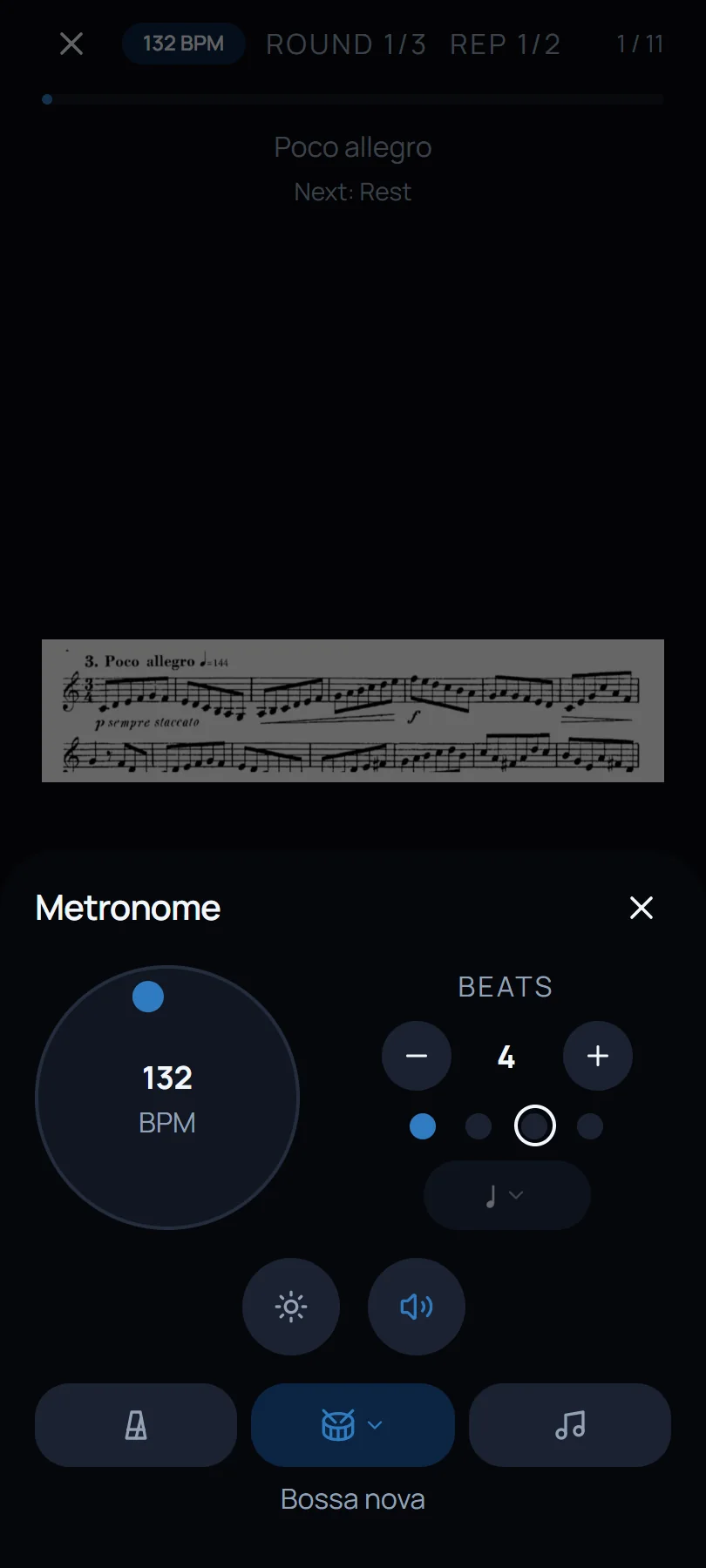
    Accents, subdivisions and sounds, plus drum grooves and backing tracks that follow your tempo.

    Eight grooves in exact time, and bass and chord progressions in the key you choose, transposing instruments included.

    The metronome at 132 bpm with a bossa nova groove selected
    • Drum grooves

      8 grooves in exact time: swing, bossa, samba, pop and rock.

    • Backing tracks

      Bass and chords in your key, written for B♭, E♭ and F instruments too.

    • Every beat yours

      Accent or mute any beat in the bar.

  6. 05Tuner

    Tune without leaving the session.

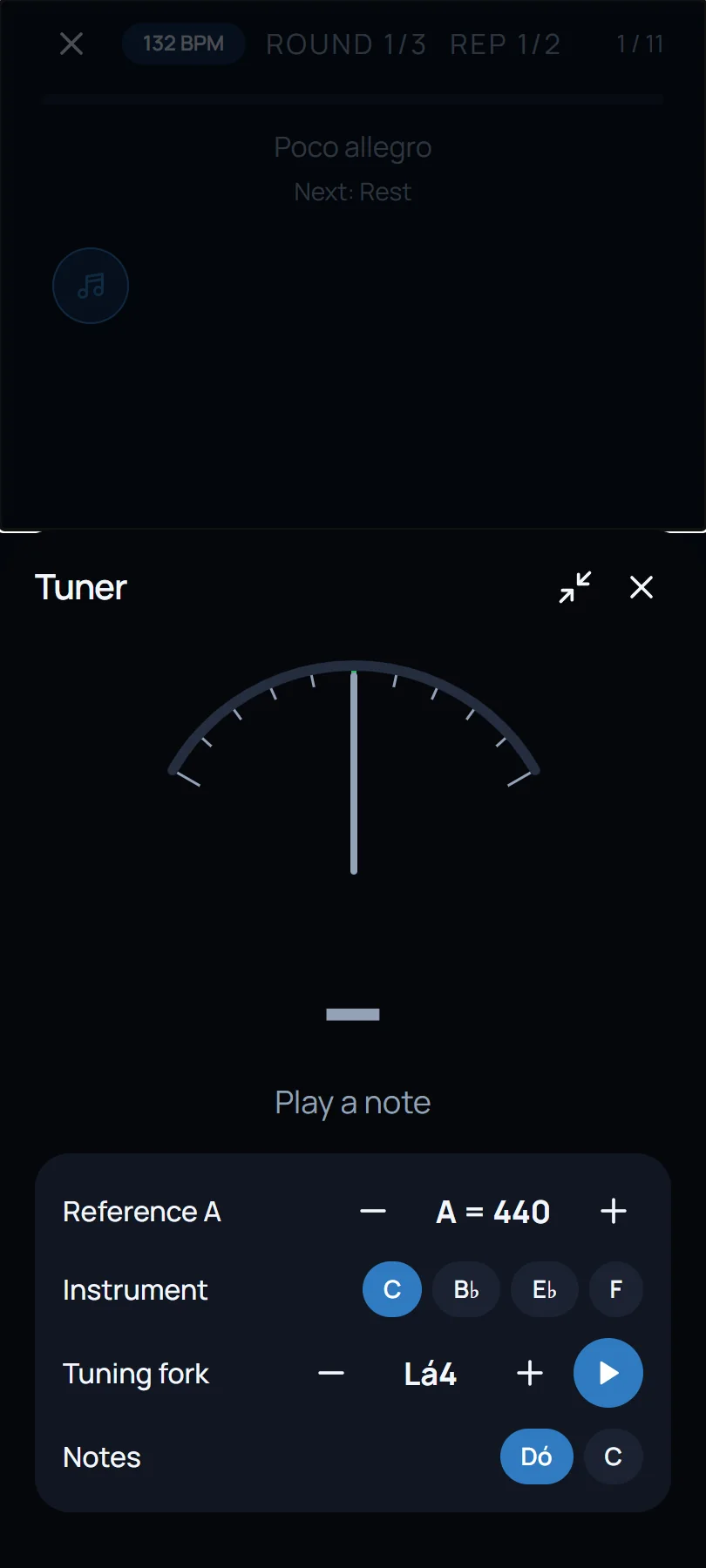
    A chromatic tuner and a tuning fork, a tap away during practice, and tucked into a corner when you don't need them.

    Reference A from 415 to 466 Hz, in C, B♭, E♭ or F.

    The tuner open during a session, with reference pitch and tuning fork
    • Chromatic tuner

      Reference A from 415 to 466 Hz, in C, B♭, E♭ or F.

    • Tuning fork

      Plays the note you need to tune or sing against.

  7. 06Free study

    No routine? Just put a page on the stand.

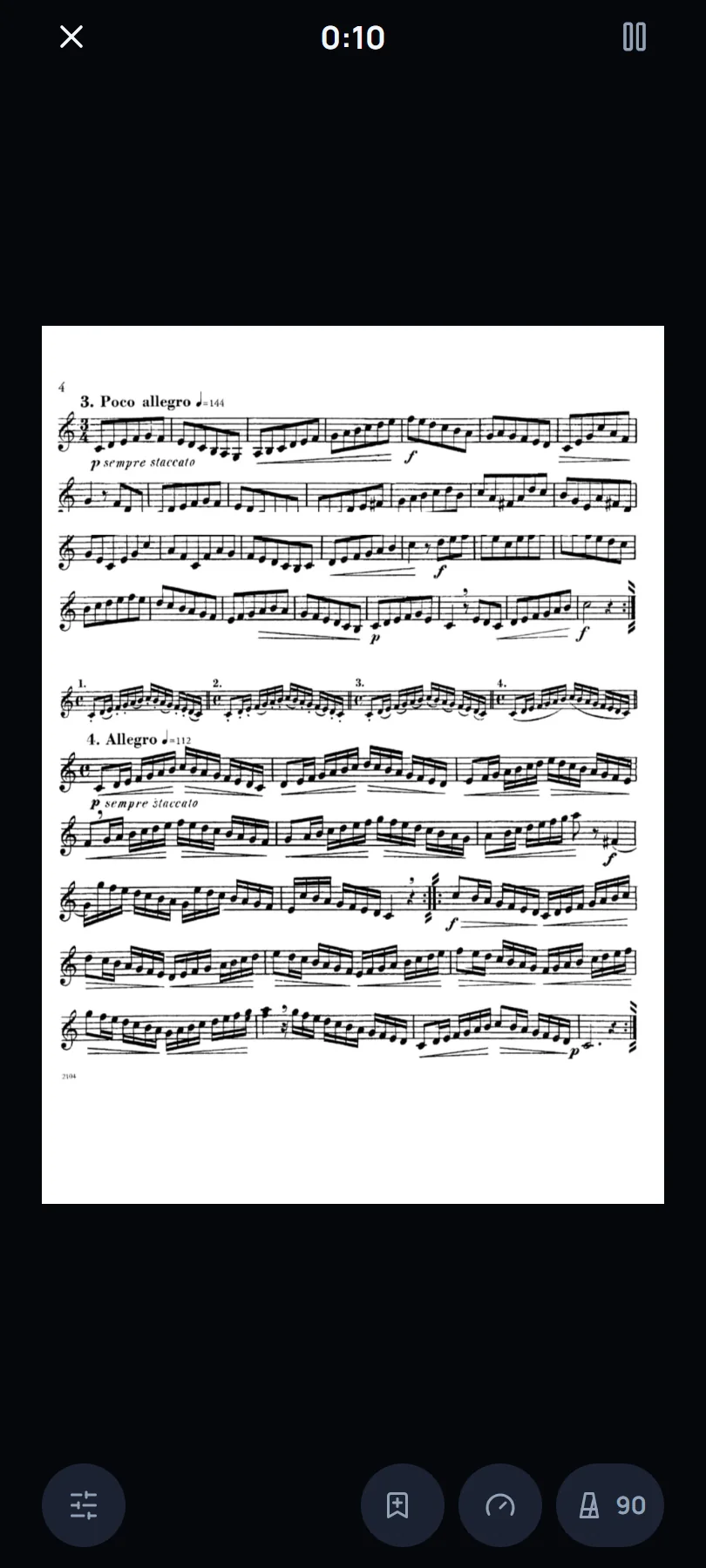
    Open any PDF or photo, or start on manuscript paper, and the time still counts towards your practice.

    Like a passage? Save it as an exercise straight from the page.

    Free study with a full page of music on the stand and the clock running
    • Any page, or blank paper

      A PDF, a photo, or staves to write on.

    • Keep what works

      Save the page, or a crop of it, as an exercise on the spot.

  8. 07Progress

    “Am I getting better?” Now you can check.

    Every session records the tempo you held and how it went, routine by routine.

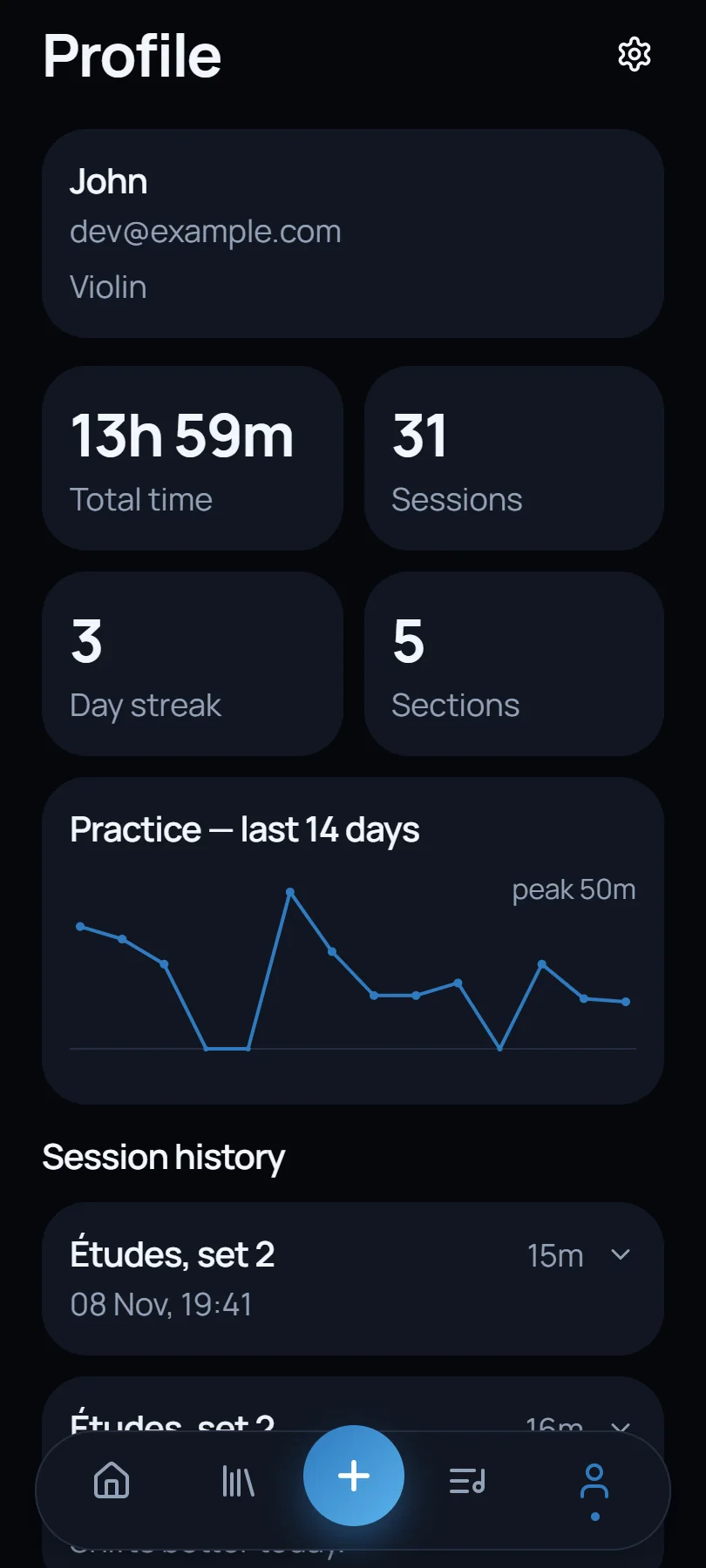
    Total time, sessions and your day streak, at a glance.

    The profile: total time, sessions, streak and the last fourteen days
    • Time and streaks

      Total time, sessions and your day streak, at a glance.

    • Tempo over time

      The tempo you reached, kept in each routine's history.

  9. 08Marketplace

    Borrow a good idea from another musician.

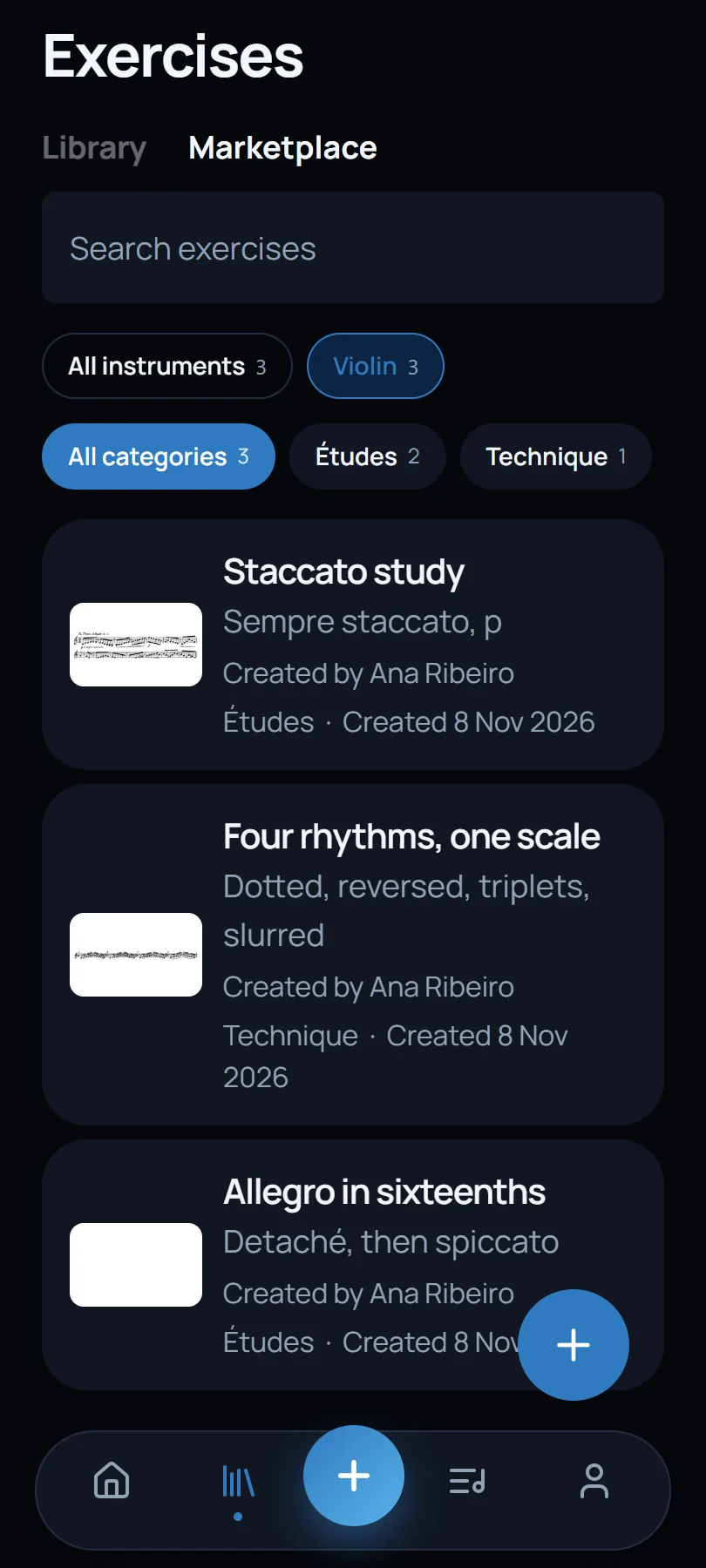
    Browse exercises and routines other musicians have shared, filtered by your instrument, and add them in one tap.

    Share yours too: only what you have the right to share, with its source credited.

    The marketplace, with études shared by another violinist
    • Filtered for you

      By instrument and category: études, scales, technique.

    • Share yours

      Only what you have the right to share, with its source credited.

Also in your browser

The same account, on a bigger screen.

Open app.hiitformusicians.com on a laptop or tablet and your routines, exercises and history are already there. Read a full page beside the music stand, start and pause from the keyboard, and carry on from your phone afterwards.

The web app with a routine running and a page of music on screen
Where it comes from

Playing for an hour is not the same as studying for an hour.

The idea came from far outside the practice room. In fitness, High-Intensity Interval Training replaced long sessions at a constant pace with short, focused efforts and real recovery in between, and got more from less time.

What caught our attention was the thinking behind it: every minute has a purpose, and the result can be measured. That led to a simple question.

Why do so many musicians still measure their practice by the hours spent, rather than by what those hours achieve?

More often than not, the problem is not a lack of dedication. It is the lack of a structure that turns effort into progress. So the app gives you one: you decide in advance what to work on and how, and it keeps the time while you play.

Questions

The short answers.

Does it work for any instrument?

Yes. The app treats your music as images, so anything you can photograph works — for any instrument, for singers and for drummers. Set your instrument to filter the marketplace.

Can I use music from a book I own?

You can use your own material and anything you have the right to use. Excerpts stay private in your account unless you choose to share them, and only what you are allowed to distribute should be made public.

Do I need an internet connection?

Only to sign in, upload files or share. Practice sessions run offline and sync the next time you are connected.

Where can I get it?

In any browser at app.hiitformusicians.com. The Android app is being tested before its store release, and the iOS version will follow. Email [email protected] to join the testing group.

What do you do with my data?

We keep what the app needs to work: your email address, the exercises you upload and the sessions you record. No advertising, no tracking for advertising, and we do not sell your data. The details are in our privacy policy.

Decide what to practise. Let the time take care of itself.

Build your first routine in a couple of minutes, with your own music.